Flutter + Supabase 接入 Google 登录
一、Supabase 后台配置
1. 在 Supabase 启用 Google OAuth
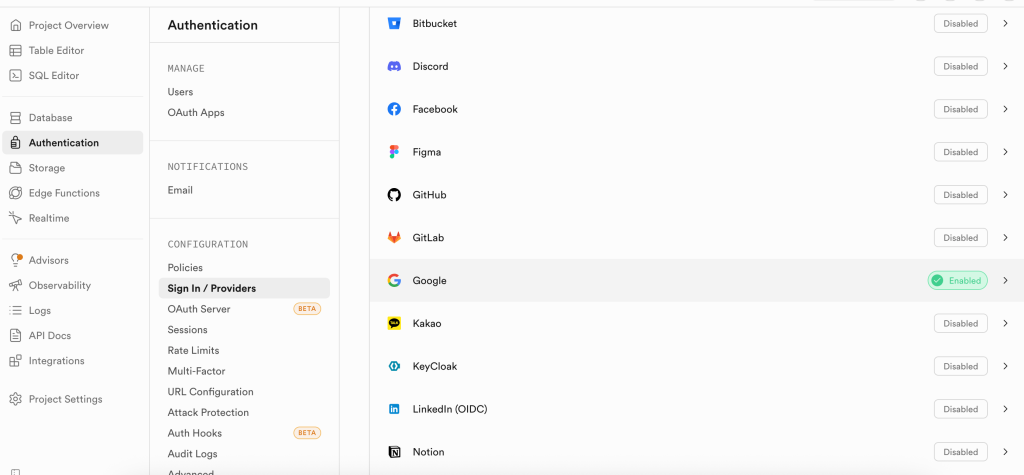
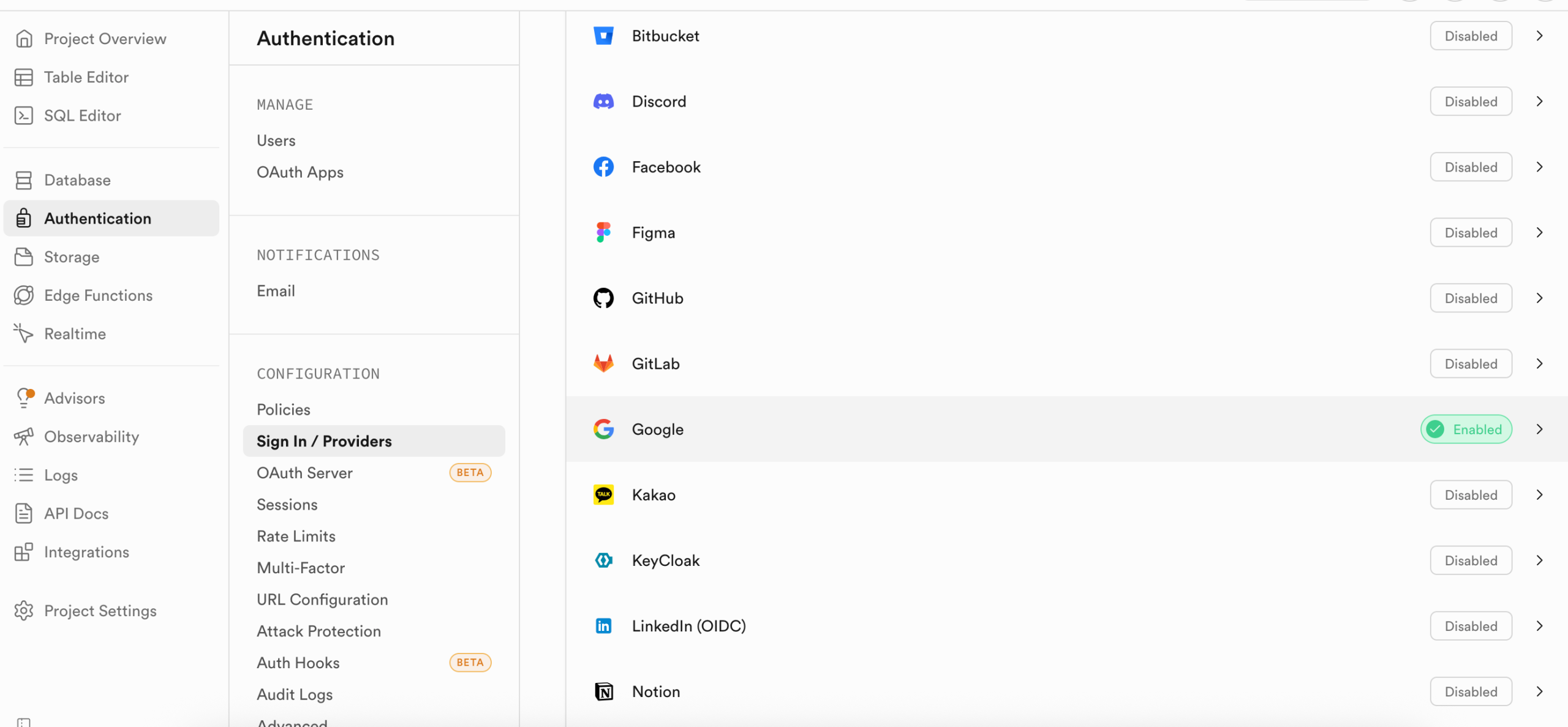
进入:Project → Authentication → Providers → Google
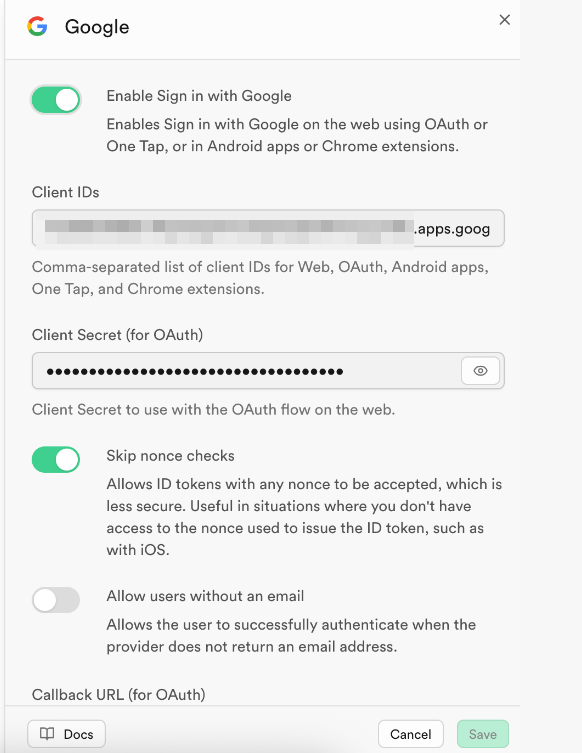
填写:
| 字段 | 说明 |
|---|---|
| Client ID | 必填(来自 Google Cloud) |
| Client Secret | 必填 |
| Redirect URL | 加入你的 App deep link,例如:com.myapp://login-callback/ |
⚠️ 注意:移动端接 Google 登录必须使用 自定义 scheme deep link(不是 https)。
2. Google Cloud 配置(必须)
去:Google Cloud Console → APIs & Services → Credentials
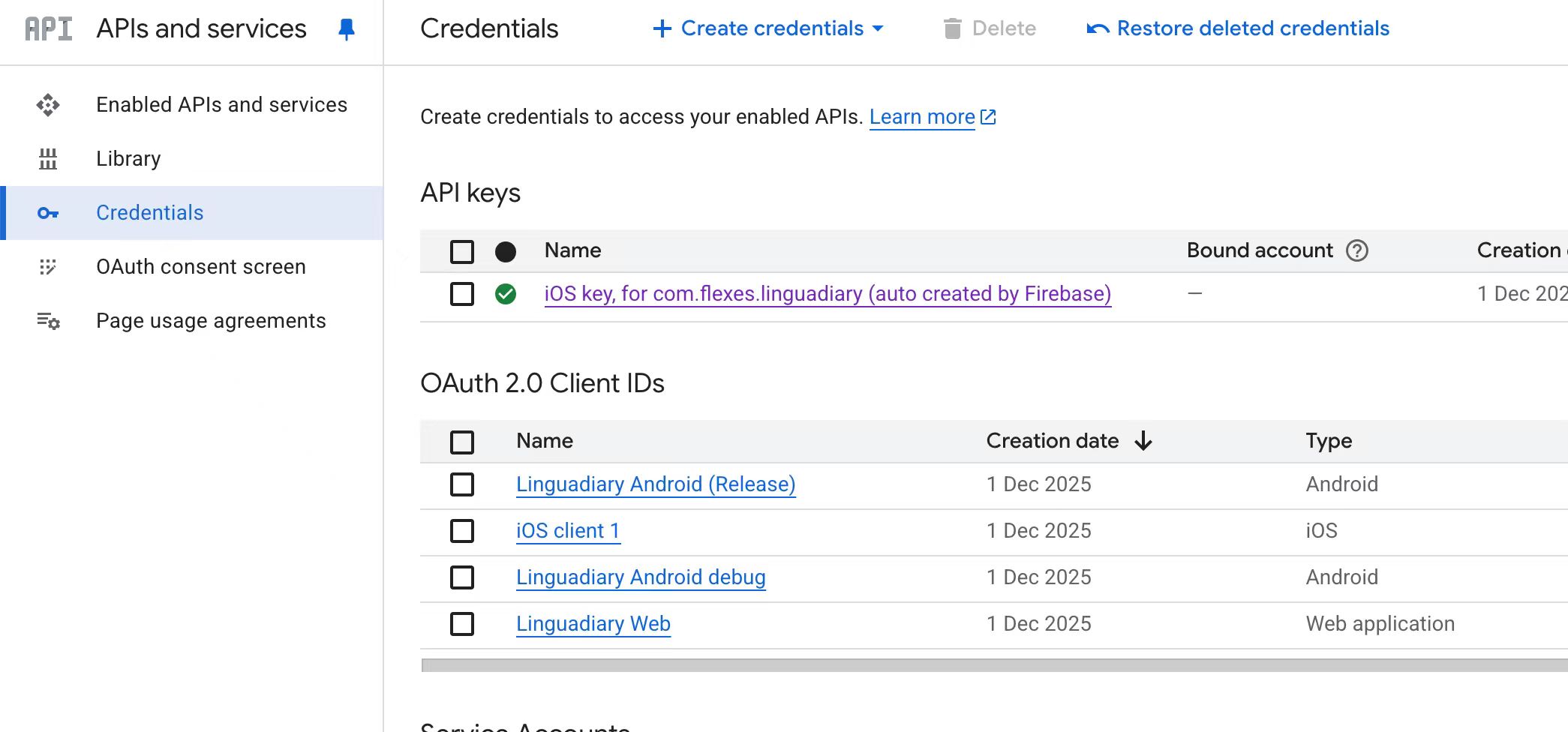
创建:
- OAuth Client ID
- Type 选:iOS / Android / Web(建议 Web 客户端配合移动 OAuth)
在 Authorized redirect URIs 填入:
com.myapp://login-callback/
并启用 API:
Google Identity Services API
二、Flutter 端开发
1. 添加依赖
pubspec.yaml
dependencies:
  supabase_flutter: ^2.0.0
  flutter_secure_storage: ^8.0.0
2. 初始化 Supabase(main.dart)
void main() async {
  WidgetsFlutterBinding.ensureInitialized();

  await Supabase.initialize(
    url: 'https://YOUR-PROJECT.supabase.co',
    anonKey: 'YOUR-ANON-KEY',
  );

  runApp(MyApp());
}
三、Android / iOS Deep Link 配置
Android(android/app/src/main/AndroidManifest.xml)
<intent-filter>
    <action android:name="android.intent.action.VIEW" />
    <category android:name="android.intent.category.DEFAULT" />
    <category android:name="android.intent.category.BROWSABLE" />
    <data
        android:scheme="com.myapp"
        android:host="login-callback" />
</intent-filter>
iOS(ios/Runner/Info.plist)
<key>CFBundleURLTypes</key>
<array>
  <dict>
    <key>CFBundleURLSchemes</key>
    <array>
      <string>com.myapp</string>
    </array>
  </dict>
</array>
四、Flutter 调用 Supabase Google 登录
登录代码
import 'package:supabase_flutter/supabase_flutter.dart';

final supabase = Supabase.instance.client;

Future<void> signInWithGoogle() async {
  await supabase.auth.signInWithOAuth(
    Provider.google,
    options: OAuthSignInOptions(
      redirectTo: 'com.myapp://login-callback/',
    ),
  );
}
五、监听登录事件(拿到用户信息)
void setupAuthListener() {
  supabase.auth.onAuthStateChange.listen((data) {
    final AuthChangeEvent event = data.event;
    final Session? session = data.session;

    if (event == AuthChangeEvent.signedIn && session != null) {
      print('登录成功!');
      print('用户ID: ${session.user.id}');
      print('Email: ${session.user.email}');
    }
  });
}
在 initState() 调用:
@override
void initState() {
  super.initState();
  setupAuthListener();
}
六、完整登录按钮 UI 示例
ElevatedButton(
  onPressed: () async {
    await signInWithGoogle();
  },
  child: Text("使用 Google 登录"),
)
七、登录成功后如何拿到用户信息?
final user = supabase.auth.currentUser;

print(user?.id);
print(user?.email);
print(user?.userMetadata);
常见错误与解决方案
| 问题 | 原因 | 解决方式 |
|---|---|---|
| Google 登录后无法跳回 App | deep link 未配置或和 Supabase redirect 不一致 | AndroidManifest / Info.plist / Supabase redirect 必须一致 |
| 打开网页版登录,而不是 App | 你没有设置 scheme deep link | redirect 要用:com.myapp://login-callback/ |
| 登录成功但 session 为 null | App 未监听 authStateChange | 加上 supabase.auth.onAuthStateChange |
| iOS 报错 scheme 不允许 | 未在 Info.plist 添加 CFBundleURLSchemes | 按上方示例配置 |
正文到此结束
热门推荐












Loading...
![[HBLOG]公众号](https://www.liuhaihua.cn/img/qrcode_gzh.jpg)

