JUnit4 & TestNG 与 Spring 整合
最近由于项目需要,开始学习单元测试。但是卡在了测试框架与 Spring 整合的地方,没法启动 Spring 容器,导致测试类中使用的 bean 无法自动注入。查了很多资料,最后把 JUnit4 和 TestNG 与 Spring 整合的问题都解决了。
前置准备
引入 jar 包
我们需要扫描类,需要 spring-context 。 Spring 需要与测试框架整合,所以需要 spring-test 。 使用 JUnit4 测试时,需要引入 junit 。
完整的 pom.xml 文件内容如下:
<?xml version="1.0" encoding="UTF-8"?>
<project xmlns="http://maven.apache.org/POM/4.0.0"
  xmlns:xsi="http://www.w3.org/2001/XMLSchema-instance"
  xsi:schemaLocation="http://maven.apache.org/POM/4.0.0 http://maven.apache.org/xsd/maven-4.0.0.xsd">
  <modelVersion>4.0.0</modelVersion>

  <groupId>com.zcl</groupId>
  <artifactId>test</artifactId>
  <version>1.0-SNAPSHOT</version>
  <dependencies>
    <dependency>
      <groupId>org.springframework</groupId>
      <artifactId>spring-context</artifactId>
      <version>5.0.6.RELEASE</version>
    </dependency>

    <dependency>
      <groupId>junit</groupId>
      <artifactId>junit</artifactId>
      <version>4.12</version>
      <scope>test</scope>
    </dependency>
    <dependency>
      <groupId>org.springframework</groupId>
      <artifactId>spring-test</artifactId>
      <version>5.0.6.RELEASE</version>
      <scope>test</scope>
    </dependency>

    <dependency>
      <groupId>org.testng</groupId>
      <artifactId>testng</artifactId>
      <version>6.14.3</version>
      <scope>test</scope>
    </dependency>

  </dependencies>

</project>
复制代码
创建待测试方法
新建一个类 Greeting
package com.zcl;

import org.springframework.stereotype.Component;

/**
 * @author: changle
 * @time: 2019-06-18 05:16
 */
@Component
public class Greeting {

    public void sayHello() {
        System.out.println("你好呀");
    }

}
复制代码
类中只包含一个简单的方法,我们用这个方法进行测试。
创建 Spring 配置文件
在 resources 文件夹下创建 applicationContext.xml 文件
<?xml version="1.0" encoding="UTF-8"?>
<beans xmlns="http://www.springframework.org/schema/beans"
  xmlns:xsi="http://www.w3.org/2001/XMLSchema-instance"
  xmlns:context="http://www.springframework.org/schema/context"
  xsi:schemaLocation="http://www.springframework.org/schema/beans http://www.springframework.org/schema/beans/spring-beans.xsd http://www.springframework.org/schema/context http://www.springframework.org/schema/context/spring-context.xsd">

  <context:component-scan base-package="com.zcl"/>

</beans>
复制代码
只添加包扫描就行了。
JUnit4
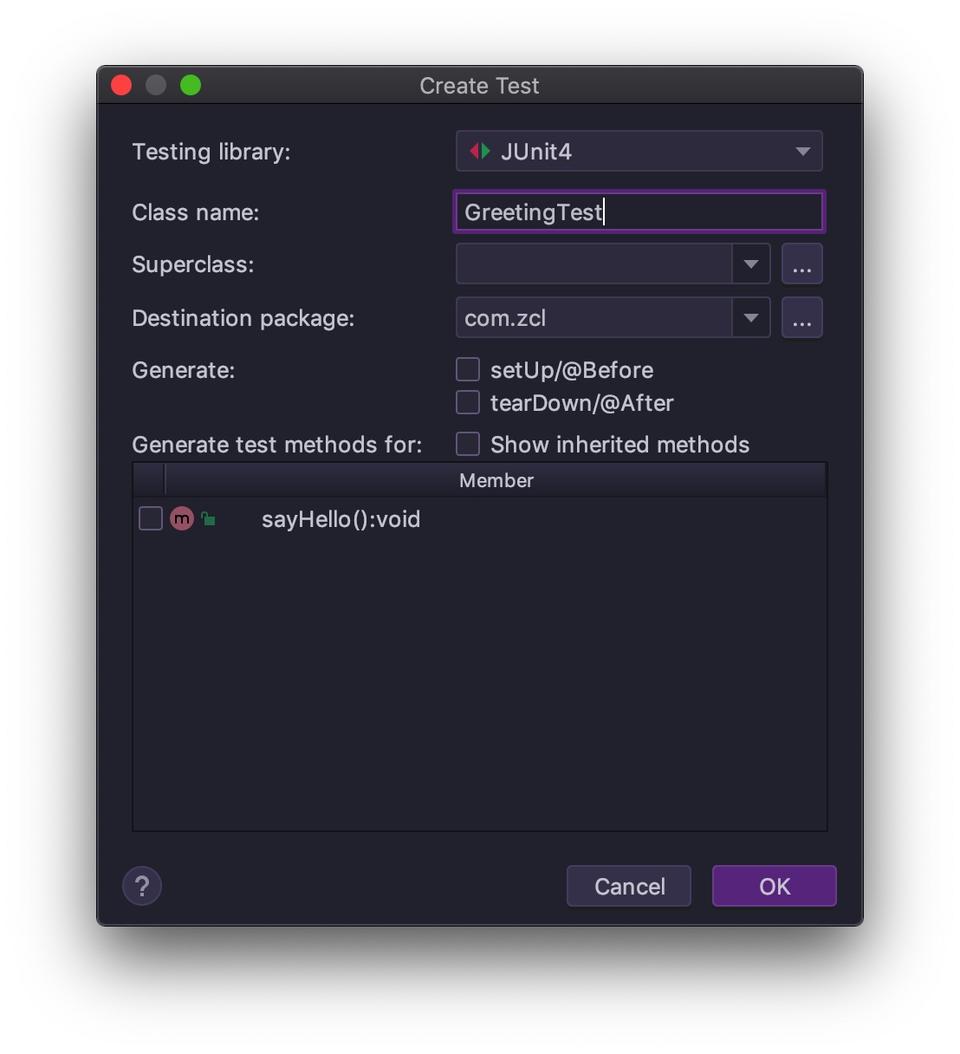
在 IDEA ,我们在类名上按下 command + shift + t ,可以快捷的在 test 文件夹下创建包名相同的测试类。
Testing library
中可以选择用到的测试框架,非常的方便。
我们在生成的类的基础上编写一个简单的测试方法并添加能够整合 Spring 的一些配置。
package com.zcl;

import org.junit.Test;
import org.junit.runner.RunWith;
import org.springframework.beans.factory.annotation.Autowired;
import org.springframework.test.context.ContextConfiguration;
import org.springframework.test.context.junit4.SpringJUnit4ClassRunner;

/**
 * @author: changle
 * @time: 2019-06-18 05:19
 */
@RunWith(SpringJUnit4ClassRunner.class)
@ContextConfiguration("classpath:applicationContext.xml")
public class GreetingTest {

    @Autowired
    private Greeting greeting;

    @Test
    public void testSayHello() {
        System.out.println("JUnit4 测试开始");
        greeting.sayHello();
        System.out.println("JUnit4 测试结束");
    }
}
复制代码
首先是 @RunWith 注解, JUnit 用例都是在 Runner(运行器) 中执行的。通过这个注解,我们可以为测试类指定我们需要的 Runner ,因为是和 Spring 整合,所以选择 SpringJUnit4ClassRunner 。
接下来是 @ContextConfiguration 。 这个注解会加载我们填入的文件,得到 Application Context 。
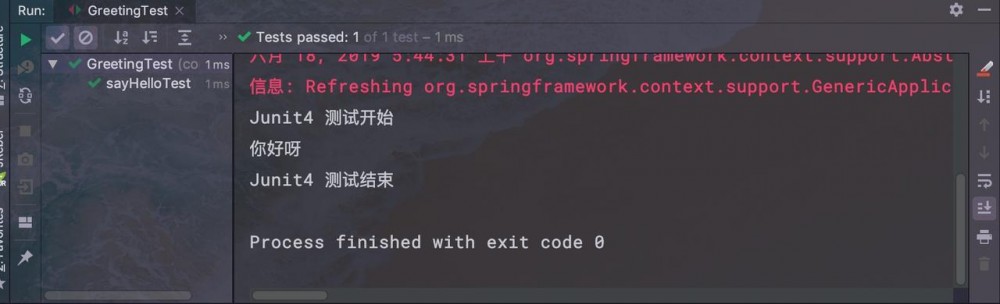
运行测试用例,最后得到的结果如图所示:
TestNG
依然是创建测试用例,与 JUnit 的区别只是获取 Application Context 的方式不同。
package com.zcl;

import org.springframework.beans.factory.annotation.Autowired;
import org.springframework.test.context.ContextConfiguration;
import org.springframework.test.context.testng.AbstractTestNGSpringContextTests;
import org.testng.annotations.Test;

/**
 * @author: changle
 * @time: 2019-06-18 05:45
 */
@ContextConfiguration("classpath:applicationContext.xml")
public class GreetingTest extends AbstractTestNGSpringContextTests {

    @Autowired
    private Greeting greeting;

    @Test
    public void testSayHello() {
        System.out.println("TestNG 测试开始");
        greeting.sayHello();
        System.out.println("TestNG 测试结束");
    }
}
复制代码
同样有采用 @ContextConfiguration 来引入 Spring 配置文件。 TestNG 不再需要加入 Runner ,而是让测试类继承了 AbstractTestNGSpringContextTests 。这样才可以访问到 Application Context 。
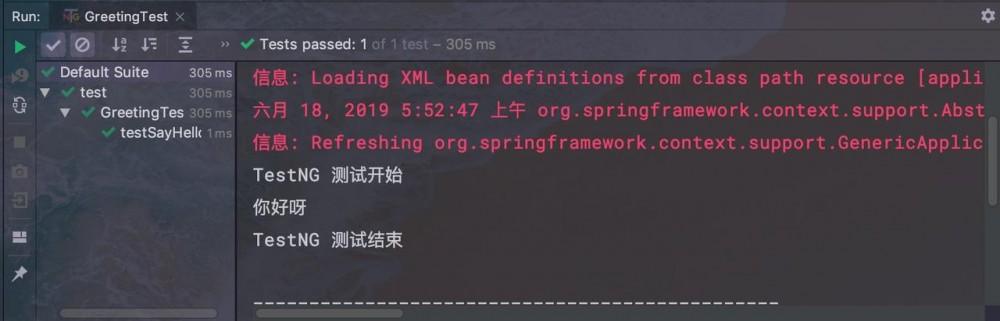
运行测试用例,得到的结果如下图
总结
学会了测试框架与 Spring 集成之后,我们就可以方便地写单元测试了。 这两个测试框架都还支持很多种类的测试,之后会继续分享它们的其他功能的使用案例。
正文到此结束
热门推荐









相关文章

近期评论
-
出现OpenClaw "device signature expired"。the Gateway rejects if Math.abs(Date.now() - signedAt) > 10 * 60 * 1000 (10 minutes)
-
-
想购买您这个站,我的联系方式QQ741756694微信同步 能卖联系
-
-
-
博主的博客用的什么技术栈,内容都是干货,赞
-
-
https://www.liuhaihua.cn/archives/40657.html 这篇博客中的图片打不开了
-
不会英语啊。
-
Loading...
![[HBLOG]公众号](https://www.liuhaihua.cn/img/qrcode_gzh.jpg)

